
Evalua
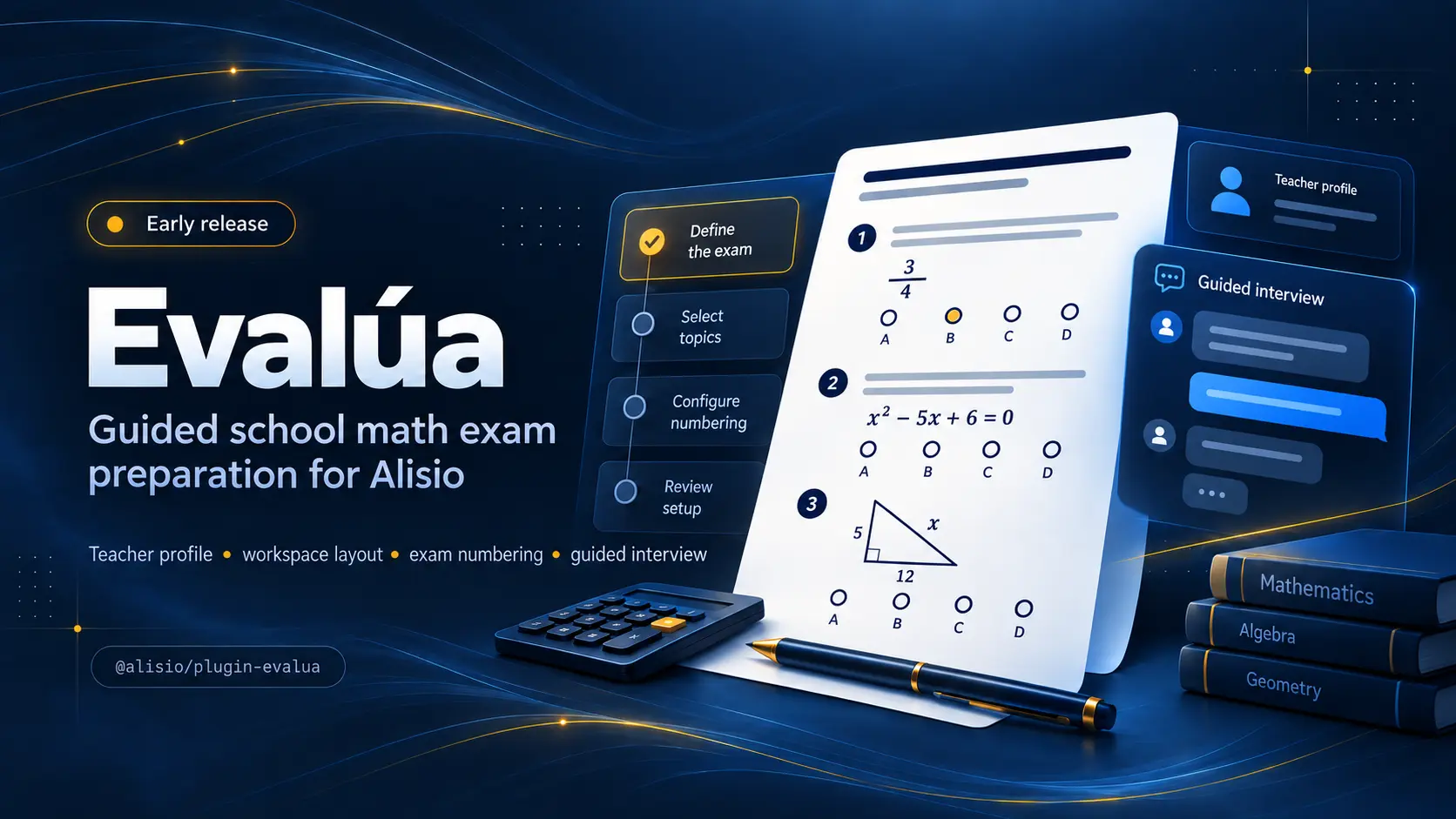
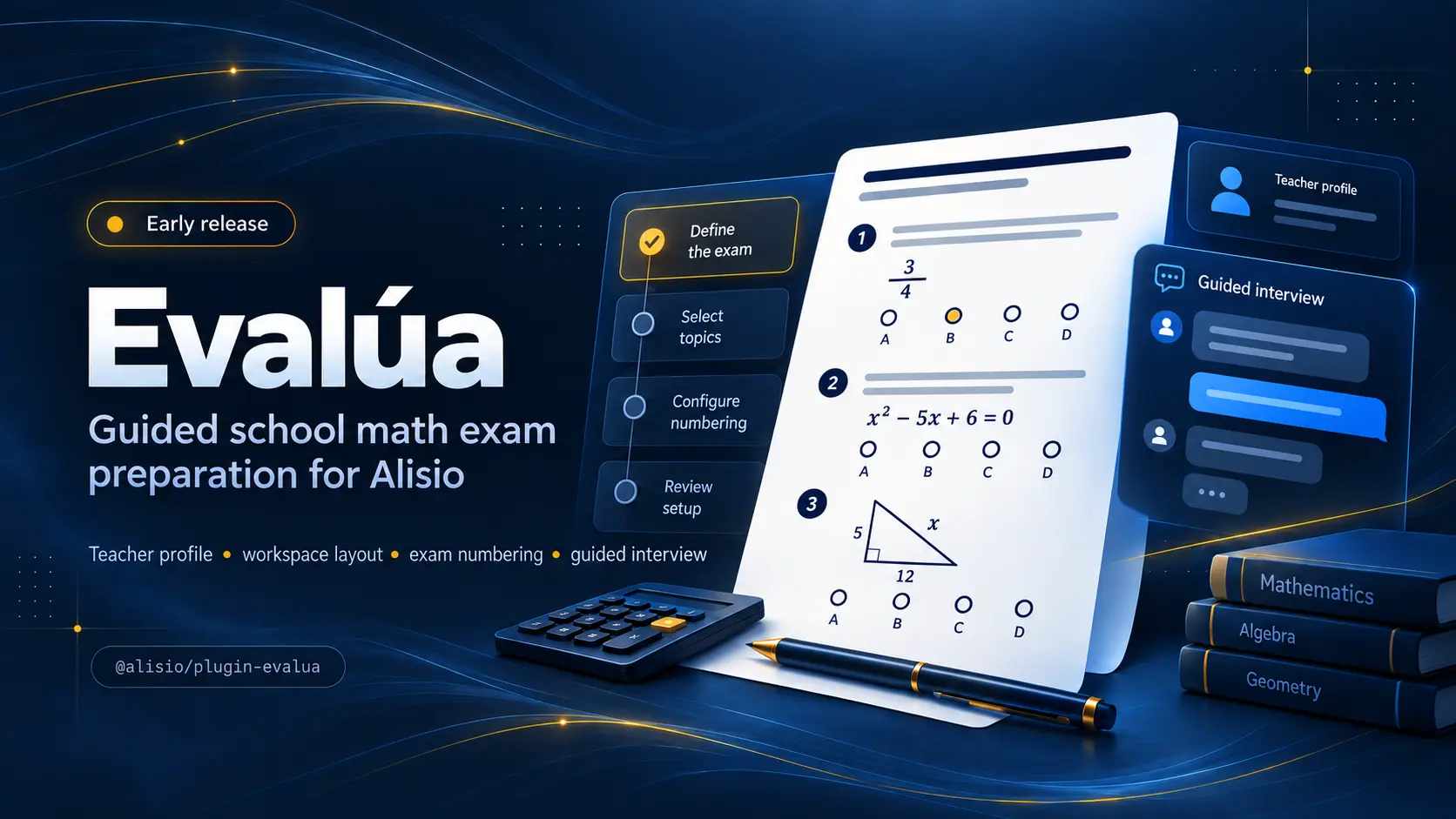
Guides teachers through a short interview for printable school math exams and keeps the teacher profile, workspace and exam numbering.
Install
alisio install npm:@alisio/plugin-evalua@0.13.1Metadata
| Package | @alisio/plugin-evalua |
|---|---|
| Version | 0.13.1 |
| Published | Nov 11, 2026 |
| Author | Alisio |
| License | MIT |
| Categories | Methodology harness |
| Size | 5.9 MB |
| Dependencies | 1 |
| Peer dependencies | 1 |
| Downloads (last month) | 967 |
| Source | First-party |
| Keywords | alisio-plugin, education, math, exams |
@alisio/plugin-evalua
Read this in Spanish. Both READMEs are kept in sync and must be updated together.
Evalúa helps a teacher prepare printable school math exams through a short, guided interview, with answers and distractors computed by code and a page budget that is measured, never guessed.
Status: v1 feature complete. The profile, workspace and interview, the exact math core, the extensible knowledge base, item generation and verification, and the end-to-end flow (Gate A → generate → build → Gate B) that writes the four documents as HTML and PDF are implemented and tested.
Quick path
Install it persistently through Alisio:
alisio install npm:@alisio/plugin-evaluaInstall a specific version, or update an installed plugin to a specific version:
alisio install npm:@alisio/plugin-evalua@0.2.1
alisio install npm:@alisio/plugin-evalua@0.2.1 --update
alisio install --update (without a spec) refreshes every installed plugin.
For project-local development instead:
npm install --save-dev @alisio/plugin-evalua
alisio --plugin @alisio/plugin-evalua
Requires Node 22.16 or newer and @alisio/sdk >=0.9.0 <0.12.0. The chat flow works on every host in that range; the Evalua app needs Alisio 0.11.6 or newer (see below).
The Evalua app
On Alisio 0.11.6 or newer, Evalua (Evalúa in Spanish) appears in the Apps group of the left panel: a full-page app that takes a teacher through the same flow with forms instead of chat answers. It follows Alisio's language (English or Spanish) and its light or dark theme.
- Teacher profile: name, school, subject, paper size and an optional logo (PNG, JPEG or WebP, up to 2 MB).
- New exam: choose the grade, then a topic from the knowledge-base list, the level, the kinds of questions (only those the topic supports), how many, the bank (if any) and the format. A summary follows every answer. When the topic has fewer distinct questions of a kind than you asked for, the app says so before you approve, naming the topic, the kind and the maximum.
- Review and approve the plan (Gate A); the exam folder is created only then.
- Wording: keep the default sentence of each kind of exercise, write your own, or let the model chosen in Settings draft it for you to review and edit. AI-drafted wording can contain mistakes: read every sentence before you approve it. Every kind of exercise of the chosen topics is listed, whatever kinds of question the plan asks for; an exam made only of bank questions already has its wording, so there is nothing to draft. Without a connected model, drafting is off and everything else works.
- Questions, then Documents: create the four documents with visible progress (and a Cancel button), preview them and download the PDF or HTML.
- Final approval (Gate B). When the last build reported problems (for example a page limit it could not reach), the app lists them and asks you to confirm.
Older exams stay read only: opening one shows its settings, its questions (if any were created) and its documents to preview and download. To change it or create its questions again, Use these settings for a new exam opens a new draft with the same settings for review; a kind of question the topic no longer offers is removed, and the app says which. The chat commands and tools keep working as before and see the same exams; if the chat changes an exam while the app is open, the app reloads it, and while the app is creating documents the chat's generate, build, approve and set-prompts answer that a build is running. On Alisio 0.11.5 the app opens but every save is refused unless the session already allows it; older hosts have no app and keep the chat flow. Every save asks for Alisio's approval like the chat does: allow saving files, and running the PDF printer for the documents. Without Chrome, Chromium, Edge, Brave, Vivaldi or Opera the app writes and previews the HTML only. Exam documents are written in Spanish for now (the only shipped locale).
How to use it
Talk to the coordinator; it starts with the language, then the institution, the teacher and the optional logo, and creates the workspace on the fly. Then it asks for the exam in three short rounds. Nothing is written to disk before Gate A, the teacher's approval.

The interview asks only what it does not already know:
| Round | Questions |
|---|---|
| Profile (once ever) | language, institution, teacher name, optional logo |
| 1 — what | topic (suggestions from the knowledge base), grade, level (básico/intermedio/avanzado/genio), knowledge base |
| 2 — shape | item types the topic supports (multi-select), number of questions, same exam or bank, columns |
| 2b — bank only | bank size, number of variants |
| 3 — print and tone | page limit (fewest legible, 1, 2 or a number you type), time and instrument, closing text |
You can also run it headless: the pending round is stored in the workspace state and you continue with /evalua:new id=value ... (free text goes in :text=...).
How an exam is generated and reviewed
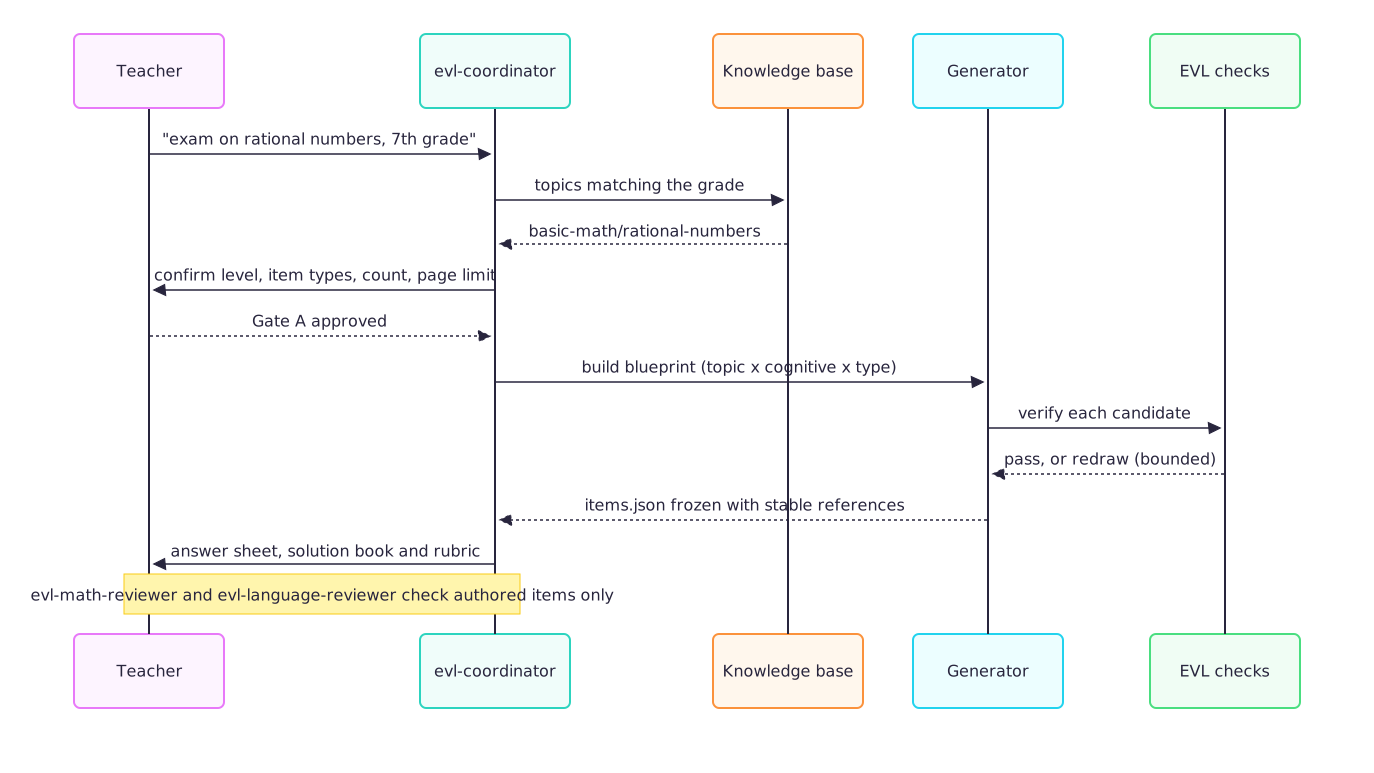
The blueprint is a table of topic × cognitive demand × item type. Candidates come from the item families first, then from static bank items, and every candidate is verified by code before it is frozen; a failing candidate is redrawn (bounded) and a slot that cannot be filled is reported. The app and the chat dry-run this seeded generation before recording the plan, so a topic that cannot fill the requested count is caught at the interview, not after Gate A.
Agents
evl-coordinator runs the interview and the gates in plain prose and calls the tools. It never authors a mathematical answer: the families, the solvers and the catalogue are the sources of truth. Authored items are reviewed independently by evl-math-reviewer (read-only) and evl-language-reviewer (read-only); the reviewer never sees the author's reasoning.

Commands and tools
| Command | What it does |
|---|---|
/evalua:init [dir] [--edit] | Creates the workspace (default folder evalua/) and asks for the teacher profile once. |
/evalua:new [topic] | Runs the exam interview and keeps the draft until Gate A. |
/evalua:status | Shows the profile, any pending round, the draft and the exam folders. |
/evalua:approve a|b | Gate A allocates the exam folder and freezes exam.yaml; Gate B approves the final package. |
/evalua:generate | Builds the blueprint, generates and verifies the items and freezes items.json. |
/evalua:build | Reads the approved folder, fits the page budget and writes the exam, answer sheet, solution book and rubric as HTML and PDF. |
/evalua:kb | Lists the knowledge base: packs, topics and levels. |
/evalua:doctor | Reports the knowledge-base health and the available print browser. |
Tools for agents: evalua_profile, evalua_answer, evalua_status, evalua_kb, evalua_check, evalua_exam, evalua_generate and evalua_build.
Standalone CLI:
alisio-evalua check    # the EVL-KB-* report
alisio-evalua kb       # packs, topics and levels as JSON
alisio-evalua doctor   # knowledge health and the print browser
How it works
- Exact math. Answers and distractors come from exact rational arithmetic (BigInt fractions) and a small multivariate rational polynomial type; randomness is a seeded xoshiro128** so the same exam always rebuilds the same questions in the same order.
- Extensible knowledge base. Versioned YAML packs declare topics, level calibration and sources (item families or static bank items). A workspace pack in
/knowledge-packs/extends or overrides a shipped one with no code change. The loader enforcesEVL-KB-001..007. - Item generation and verification. A deterministic blueprint drives candidates from families then bank, with a bounded redraw loop, de-duplication and stable references;
EVL-ITM-*andEVL-EXM-*checks gate the result. - Rendering and fit. A typed document model feeds a self-contained HTML emitter (server-side KaTeX inlined, no network) and Chrome-family
printToPDF; a density ladder measures real page counts and picks the most legible preset that meets the budget, failing explicitly withEVL-LAY-001when it cannot. An in-page audit checks horizontal overflow, overlapping boxes, text below the floor, formula fit and answer space (EVL-LAY-002,EVL-LAY-004). - Coverage. Seven shipped packs follow the MEN DBA and Estándares:
primary-mathfor Primero to Quinto (place value, whole-number operations, money in pesos, time and clocks, number patterns, the equal sign and missing numbers, fractions of a whole, pictograms and bar charts, perimeter and area, volume with cubes, angles, fractions/decimals/percentages, simple probability and measurement),basic-mathfor Cuarto to Noveno (including divisibility with parity and multiples, statistics with quartiles and box plots, the coordinate plane from the first quadrant to all four, absolute value, scientific notation, rational and irrational numbers, and percentages with ratios and proportions),geometryfor Sexto to Noveno (scales on maps and plans, angles in triangles and polygons, circumference and area of the circle, the Pythagorean theorem, similarity and Thales, and volumes of cylinders, cones and spheres, with exact answers in π),probability-statistics(tree diagrams and compound events, counting with and without replacement, range, variance and standard deviation, permutations and combinations, conditional probability and independence),functions(arithmetic and geometric sequences, exponentials and logarithms, the quadratic function, and domain, range, composition and inverse),precalculusfor Décimo and Undécimo (right-triangle trigonometry with exact special values, the unit circle and radians, circles and parabolas, average rate of change and limits, and derivatives) andalgebra(linear inequalities extended with interval notation and absolute-value inequalities). - Figures. Deterministic SVG figures are generated by code from the same parameters as the answer and embedded in items through a
figureblock: Venn/sets diagrams, Cartesian planes and numbered coordinate grids, triangles, squares, rectangles and labelled L-shapes, regular polygons, circles, ellipses, prisms (also labelled or built from unit cubes), cylinders, cones, number lines, fraction bars and circles, bar charts and pictograms, angles drawn to scale, analog clocks, spinners and bags of lettered balls, right triangles with labelled sides and a marked angle, triangles drawn from their angles, similar triangles and Thales' parallels, spheres, scale maps and floor plans, tree diagrams, box plots, function graphs (also trigonometric curves, secant and tangent lines), the unit circle with a marked angle, circles and parabolas on a grid with centre, focus and directrix, and intervals on a number line with open and closed ends. Every figure has a Spanish accessible title, prints in monochrome and needs no external asset or network. - Themes. Three data-driven themes ship (
classic,blue,dark), selected byexam.yaml.templateand extensible fromtemplates/themes//. - Closing texts. A sourced catalogue (famous quotes and public-domain Reina-Valera 1909 verses) plus a workspace quotes layer for teacher-supplied texts; nothing is written from memory.
Print browsers
PDFs need a Chromium-compatible browser; nothing is downloaded. Detection accepts Google Chrome, Chromium, Brave, Microsoft Edge, Vivaldi and Opera on Linux, macOS and Windows, honouring ALISIO_EVALUA_CHROME, PUPPETEER_EXECUTABLE_PATH and CHROME_PATH. Without a browser the build still writes the self-contained, KaTeX-typeset HTML files and reports that page limits were not verified.
Workspace layout
<workspace>/
  .alisio/evalua/state.json     machine-owned state (atomic writes)
  .alisio/evalua/app.json       Evalua app only: chosen model, pending AI wording, last build summary
  evalua/
    teacher.yaml                teacher profile, safe to edit by hand
    assets/logo.png             optional logo (PNG, JPEG or WebP, up to 2 MB; SVG is rejected)
    knowledge-packs/            optional workspace packs (extend or override the shipped ones)
    quotes/                     optional teacher closing texts
    exams/NN-slug/              created only after the teacher approves the exam spec
Exam numbers are consecutive and never reused, even if a folder is deleted by hand.
Profile fields
teacherName, institution (printed upper-case), optional logo, subject (default Matemáticas), language (default es) and paper (letter or a4, default letter).
License
MIT. Vendored KaTeX is MIT; see THIRD_PARTY_NOTICES.md.